 You Never Let Her Pay AI
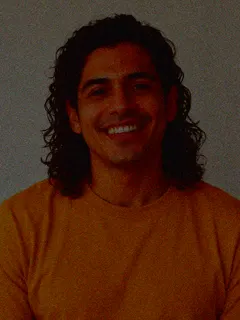
1. Upload one clear photo
One adult with a visible face and even light. It has to be you, or someone who agreed to it.
Tutorial
You need one clear photo and about a minute of attention. You Never Let Her Pay AI puts your face into the sponge-in-the-wallet scene and renders it in the background.
Updated
One adult with a visible face and even light. It has to be you, or someone who agreed to it.
You get a still image of your face in the restaurant scene before you pay anything. No sign-up is needed.
Sign in, pick a one-time pack and start. You can close the page; we email you when the video is ready.
The preview is a still, so use it to judge the face, not the acting. Check three things: does it look like the person, do the hair and skin tone match, and is the face sharp.
If something is off, change the photo, not your expectations. A sharper, front-facing photo with even light usually fixes it. Paying will not improve a preview you do not like.
"POV: You never let her pay" is what people search and recognize. Put it on screen or first in the caption.
Name the occasion: an anniversary dinner, a first date, your friend's birthday. One specific detail beats a long caption.
Turn on the AI-generated label when you post on TikTok or Instagram. It is their rule for realistic AI video, and it keeps the joke honest.
If the face is a friend's, show them the video before you post it.
Watch the whole video before you share it. AI results vary from photo to photo, and no photo can guarantee a perfect likeness.
Finished videos stay in your account for 30 days. Download the MP4 to keep it, or delete it whenever you like.
Upload one photo here and see your face in the scene for free. The full video is 12 seconds, vertical, with no subscription.
Add your photo



See a free preview before you pay · no sign-up
No. It renders in the background, and we email you when it is done.
No. The scene and the motion are fixed, so your photo is the only input.
The credits reserved for it come back to your account automatically.
Yes, if your friend is an adult and agreed to it. You confirm permission before each video.
youneverletherpay.net is an independent AI video service run by Taphold Studio, not affiliated with TikTok, CapCut or any creator of the meme. Every video is AI-generated. Upload only photos you are allowed to use.